Give the brand a clear customer moment
Start with who wears the clothes and when. A short description of an actual occasion gives the collection and photography direction something concrete to serve. Avoid collecting adjectives without deciding what they mean in a garment or a scene.
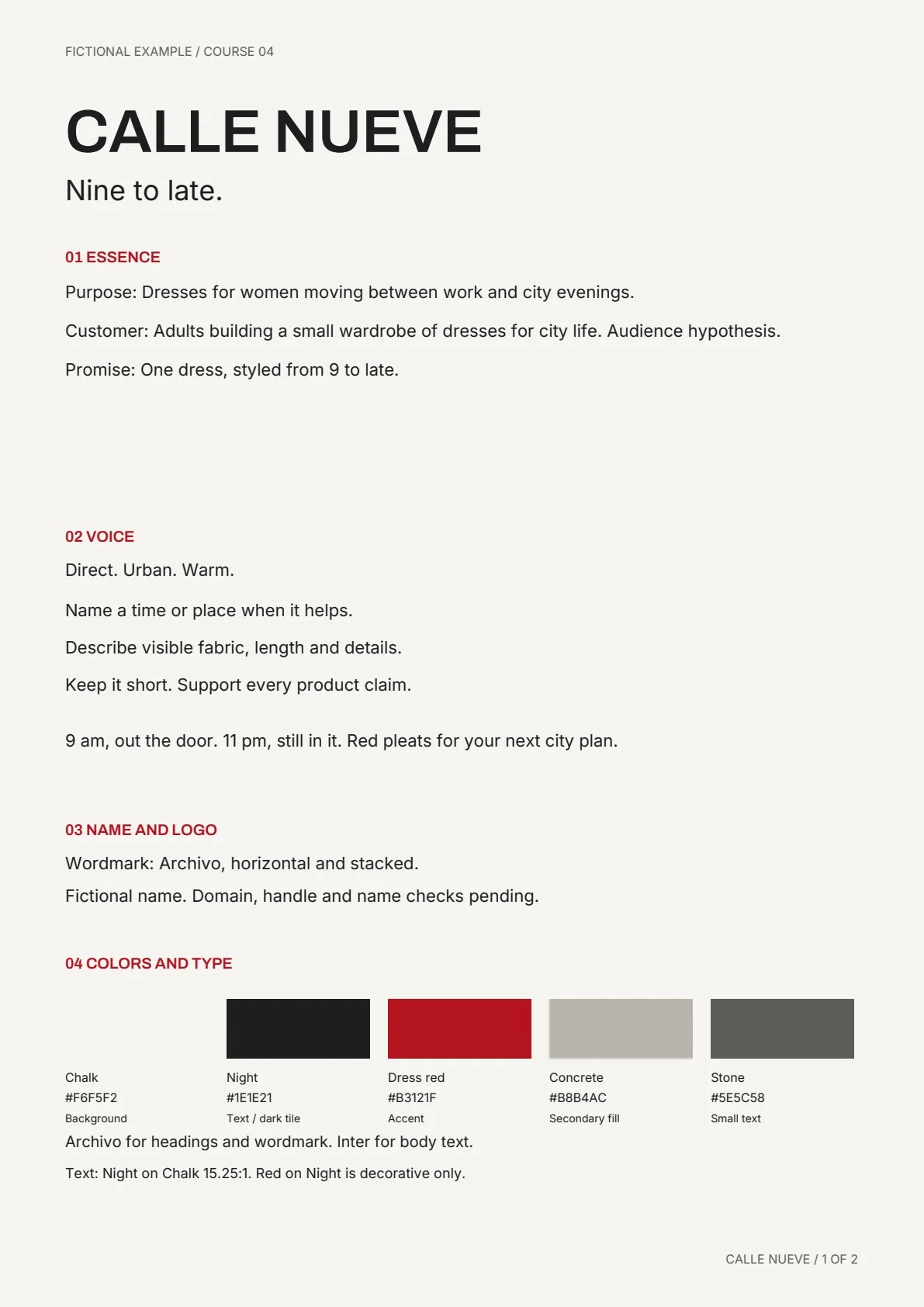
The course example Calle Nueve uses a city mood that moves from daytime to evening. It is a fictional teaching case. The purpose of the example is to show how a consistent idea can guide later choices.
Ask for options you can compare
Ask your brand agent for a few distinct directions with reasons. Compare the mood, language, colors and image style side by side. Choose one direction and edit it until it fits your actual project.
A recommendation is useful when the reasons are visible. Save both the final choice and the reason. This helps when a new campaign image is attractive but feels disconnected from the brand.
Help me define a brand direction for [brand], selling [garments] to [customer] for [occasion]. Propose three distinct directions. For each, explain the promise, tone, colors and photography style in plain language. Recommend one with reasons. Wait for my choice, then help me save the approved decisions in a brand file.
Choose colors and typography for actual use
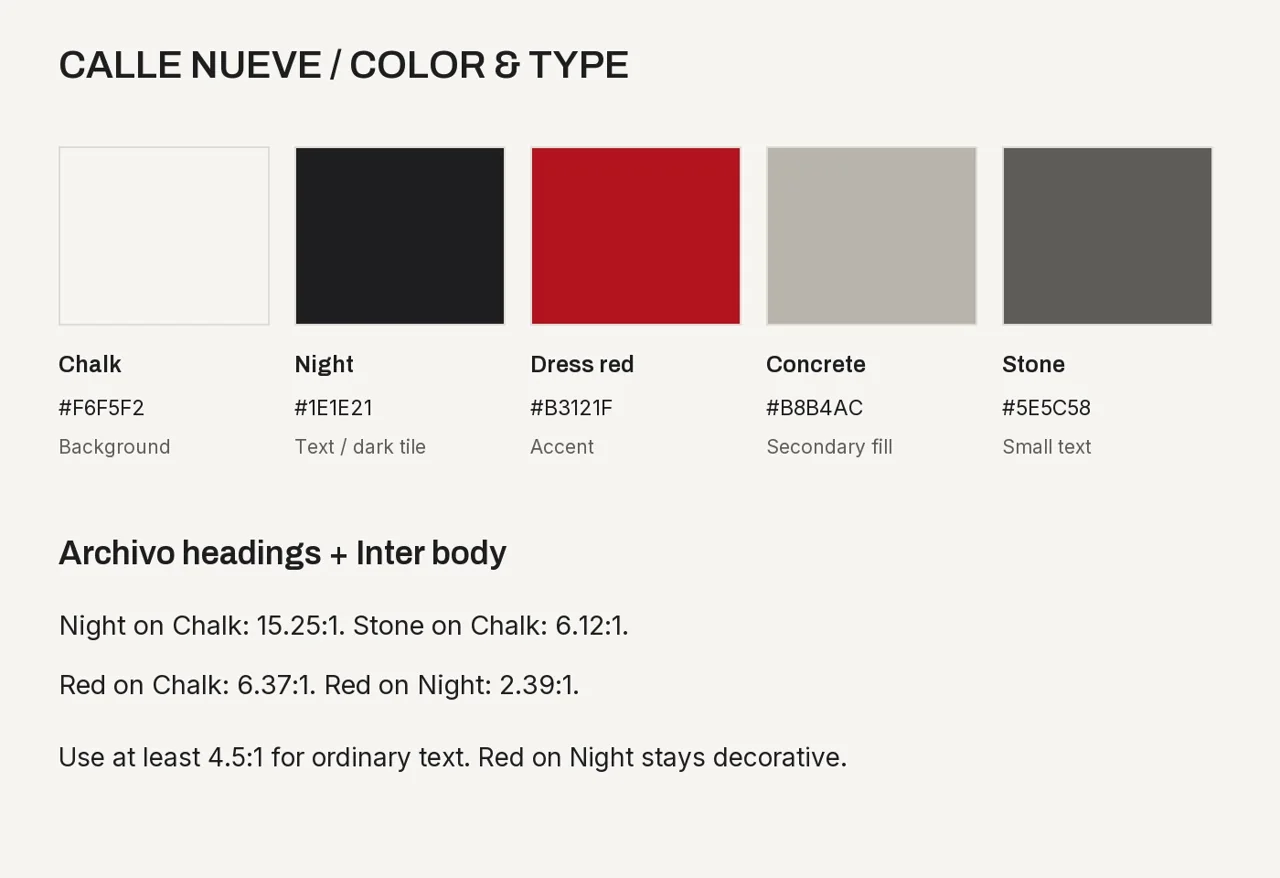
Limit the first palette to a small set with named roles: background, text, main brand color and a supporting color. Check body text at the size it will be read. Test the fonts in a headline, a paragraph and a product caption.
The course palette board is an example for Calle Nueve. Copy the method of assigning roles rather than assuming its fonts and colors fit your own brand.
Describe the photography in visible terms
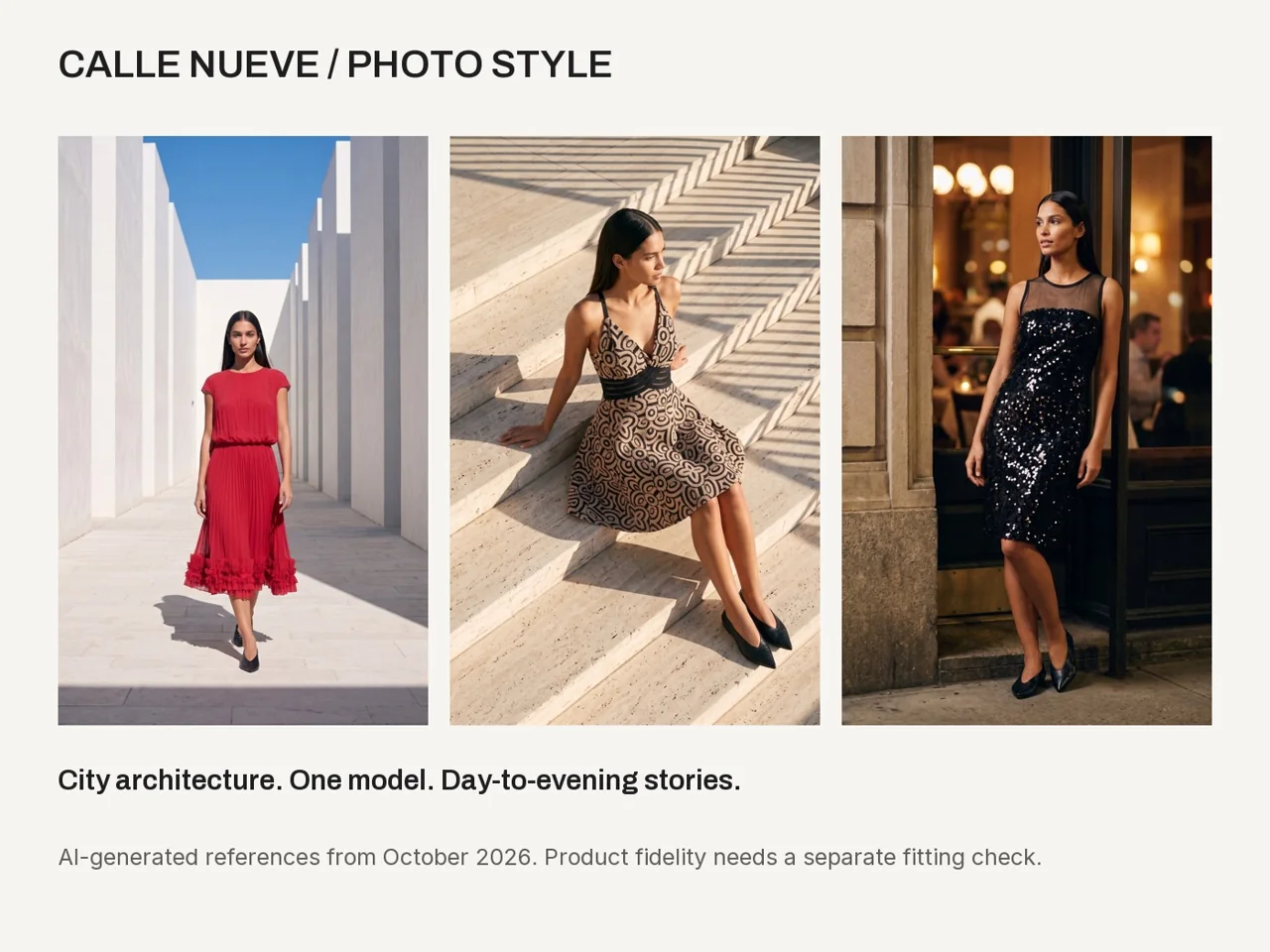
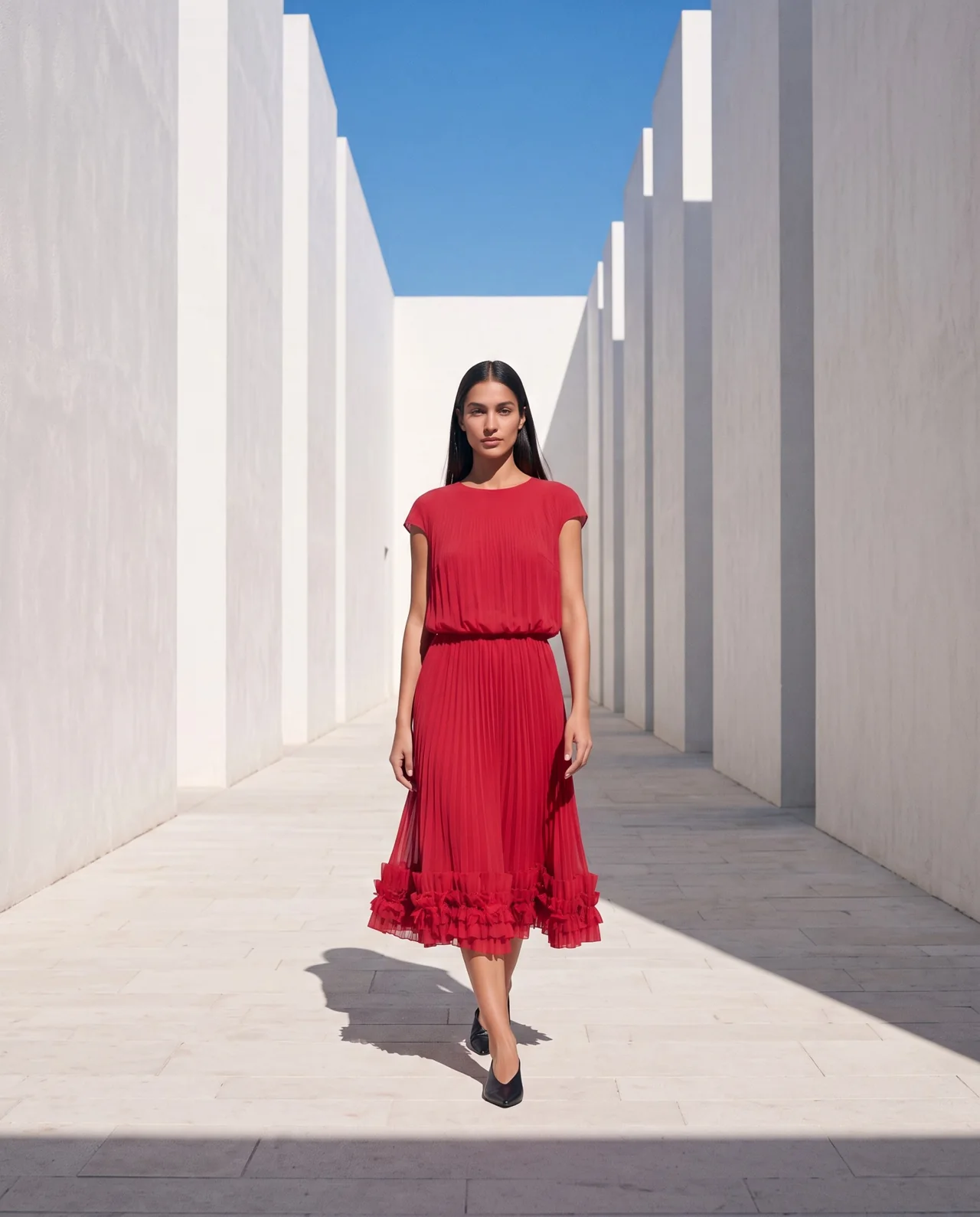
Turn the mood into choices you can direct: architecture, time of day, frame, camera height, pose and light. Ask what repeats across scenes and what can vary. These decisions make the brand useful when writing prompts.
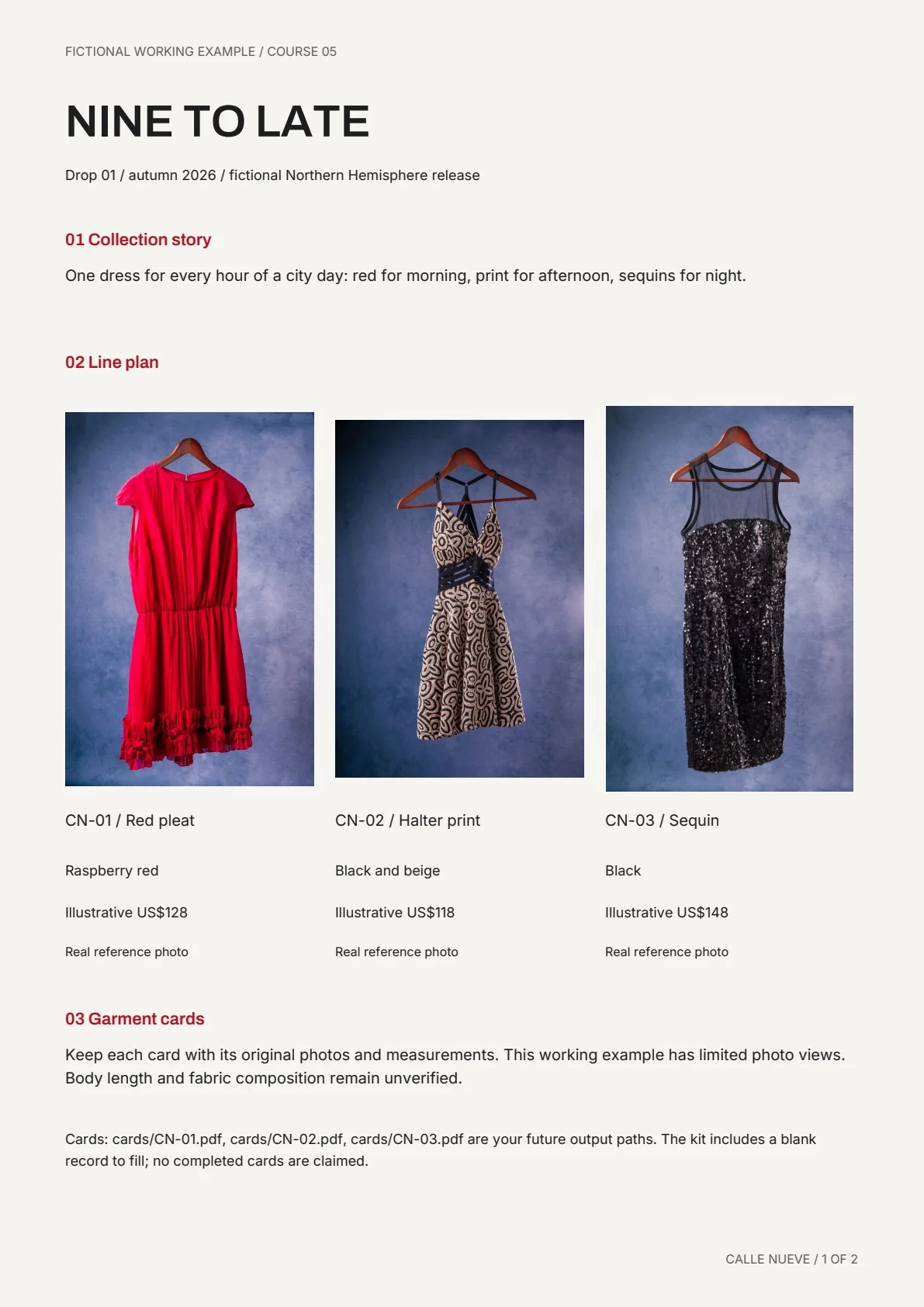
Separate a generated reference from a picture of your actual product. A photo-style board gives creative direction; the garment source gives product evidence. Keep both available to the campaign agent.
Test the system on one small output
Make a simple post or campaign frame using your real brand text. Check hierarchy, contrast and image direction. If the result feels wrong, identify whether the problem comes from the type, color, message or photograph before revising the entire system.
Keep text editable instead of asking a generation model to draw finished typography inside a scene. This makes spelling, spacing and future updates easier to control.
- Read the headline at phone size.
- Check the body copy against its background.
- Keep product text separate from the generated image.
- Compare the visual with the chosen customer moment.
- Save the approved output with the brand sheet.
Save one source of brand decisions
Use one brand file for the approved promise, customer, tone, palette, fonts and photo style. Link the actual references and include a short change record when you revise a decision.
The next collection and campaign should begin from this file. That gives the agents context and helps you avoid repeating the same decisions for every piece of content.
Questions before you start
Do I need a finished logo first?
You can start with a clear name, customer, promise and visual direction. Test a simple wordmark in use while the broader brand decisions become clearer.
Can I copy the example brand?
Calle Nueve is a learning example. Use the questions and decision process to create a direction that fits your own project.
Examples and sources
Adapted from Build Your Brand Identity, including the fictional Calle Nueve brand sheet, palette and photo-style references.
Written by Fashion AI Skool using its course materials and practice records. Updated October 20, 2026. Generated examples demonstrate a process; they do not certify unseen product details.