Choose the reference before making a set
Find the clearest image of the identity you want to preserve. An image with a visible face, natural proportions and a calm pose gives you more to compare than a distant or heavily styled frame.
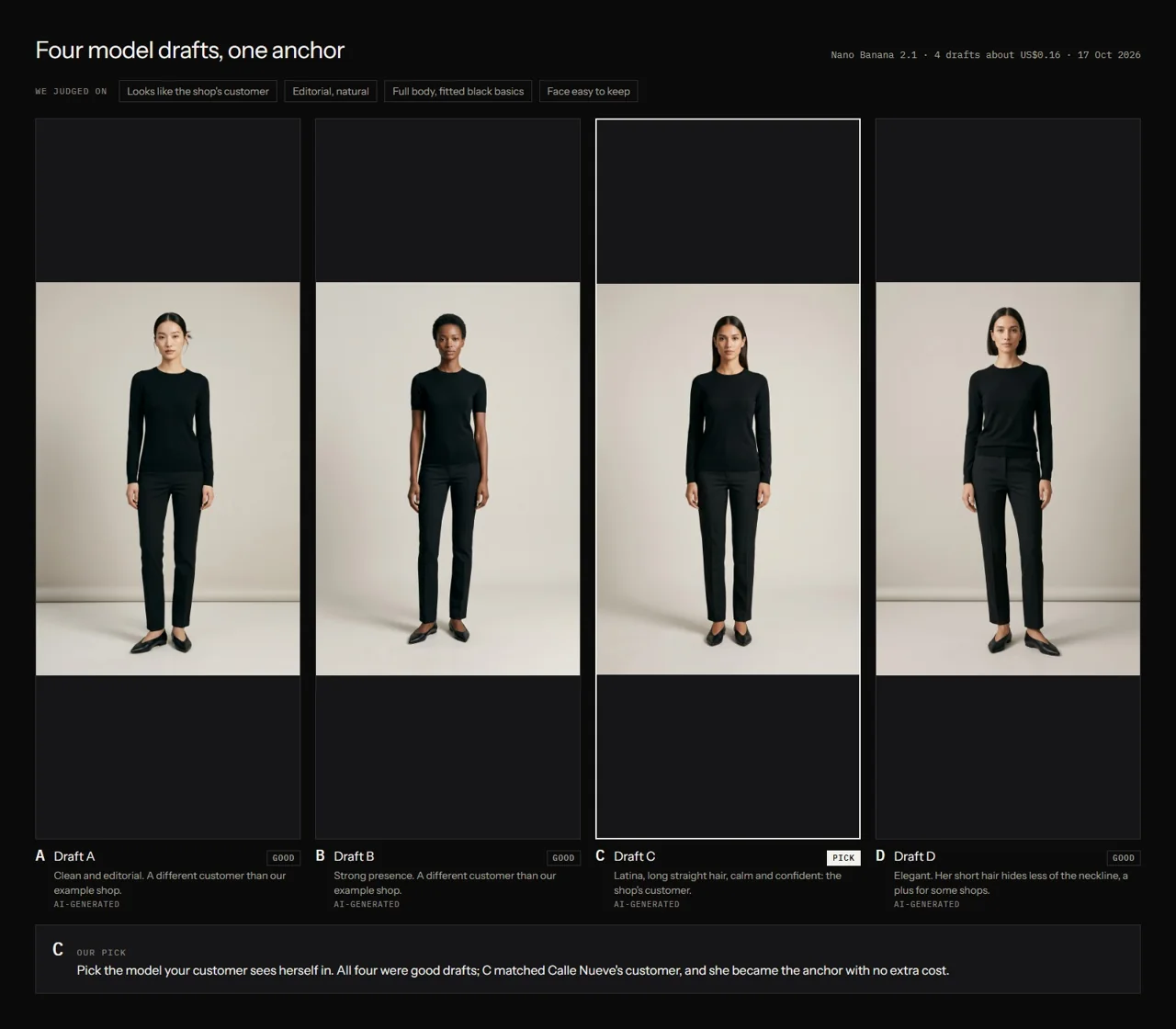
Keep the full-body reference and a clear face reference together when available. Record which one was approved. Several attractive drafts can create confusion if a later prompt does not specify the selected identity.
Separate identity from the scene
Write two short lists. The first describes fixed identity features. The second describes the scene you want to change: garment, pose, background or light. This keeps the creative request readable.
Avoid asking for a new person and a consistent person in the same prompt. Keep language about age, hair and appearance aligned with the chosen anchor. When an outfit changes, explicitly retain the person reference.
Test a small change first
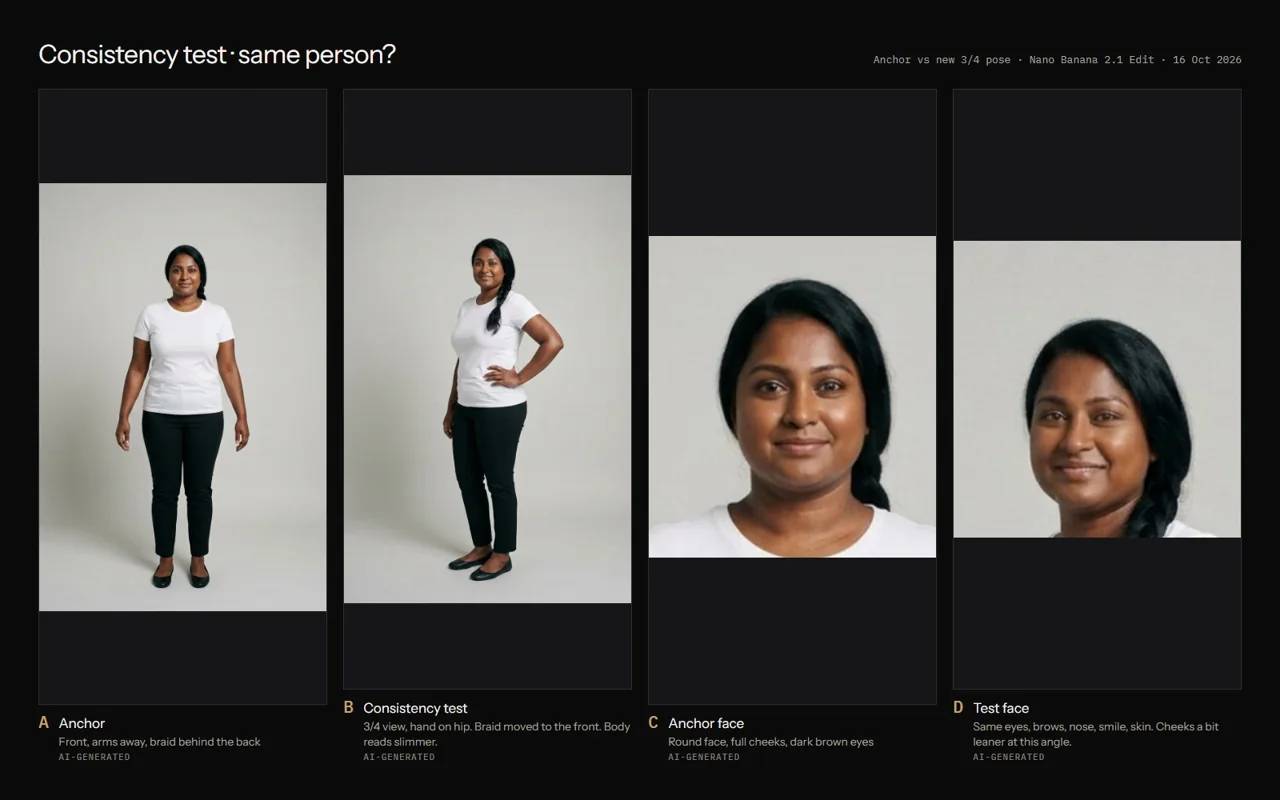
Ask for one second view before producing a set of campaign images. Check the output next to the anchor. Our teaching board shows both whole-body and face crops because a similar silhouette can hide a different face.
A useful test asks one question, such as whether the identity survives a modest turn. Multiple simultaneous changes make it harder to understand what caused a mismatch.
- Select one anchor and lock the casting decision.
- Choose one new view or pose for a test.
- Keep the first test and compare it directly.
- Record face, hair and proportions separately.
- Approve a reusable version only after review.
Record the differences you can point to
Replace a vague note such as “looks different” with a visible observation: face shape, eye spacing, hairline, jaw, expression or body proportions. Use crops to inspect, while retaining the complete output.
For garment work, add the fitting check. A face match cannot compensate for a changed sleeve or hem. In a motion test, compare identity throughout the clip as well as in the opening frame.
| Area | Compare with | Possible next action |
|---|---|---|
| Face and hair | Approved face anchor | Use a clearer reference and request a narrower change |
| Body proportions | Approved full-body anchor | Simplify the pose and inspect the complete frame |
| Clothing | Real garment photographs | Correct a visible mismatch or add missing evidence |
| Video identity | Anchor and source frame | Review normal-speed playback and inspect the time of drift |
Ask for a focused correction
Name the exact difference and the relevant reference. Keep previous outputs so the correction does not erase evidence. Ask for a fresh cost estimate before another paid generation.
After the correction, review the whole image again. A change to the face can affect hair, pose, light or garment details elsewhere.
Compare this output with my approved model anchor. List visible identity differences in face, hair and body proportions. Separate them from pose and lighting changes. At [area], I see [specific mismatch]. Propose one focused correction, keep the existing files and show the next estimate before generating anything.
Keep continuity as a production habit
Use stable filenames for the chosen anchor and selected outputs. Save the prompt, settings and review status with every attempt. Build a small reference sheet for the campaign so the approved cast remains easy to find.
If your project needs a new cast, make that a new decision. A continuity record helps you distinguish an intentional change from an unnoticed drift.
Questions before you start
Will using the same prompt keep the same model?
The same prompt can still produce different identities. Use an explicit anchor and compare each result.
Is a face crop enough?
It helps with facial comparison. Keep a complete reference too, so body proportions and garment framing can be reviewed.
Examples and sources
Adapted from the anchor, face-reference and consistency-test pages in Create Your Model.
Written by Fashion AI Skool using its course materials and practice records. Updated October 20, 2026. Generated examples demonstrate a process; they do not certify unseen product details.