Choose a source that can support movement
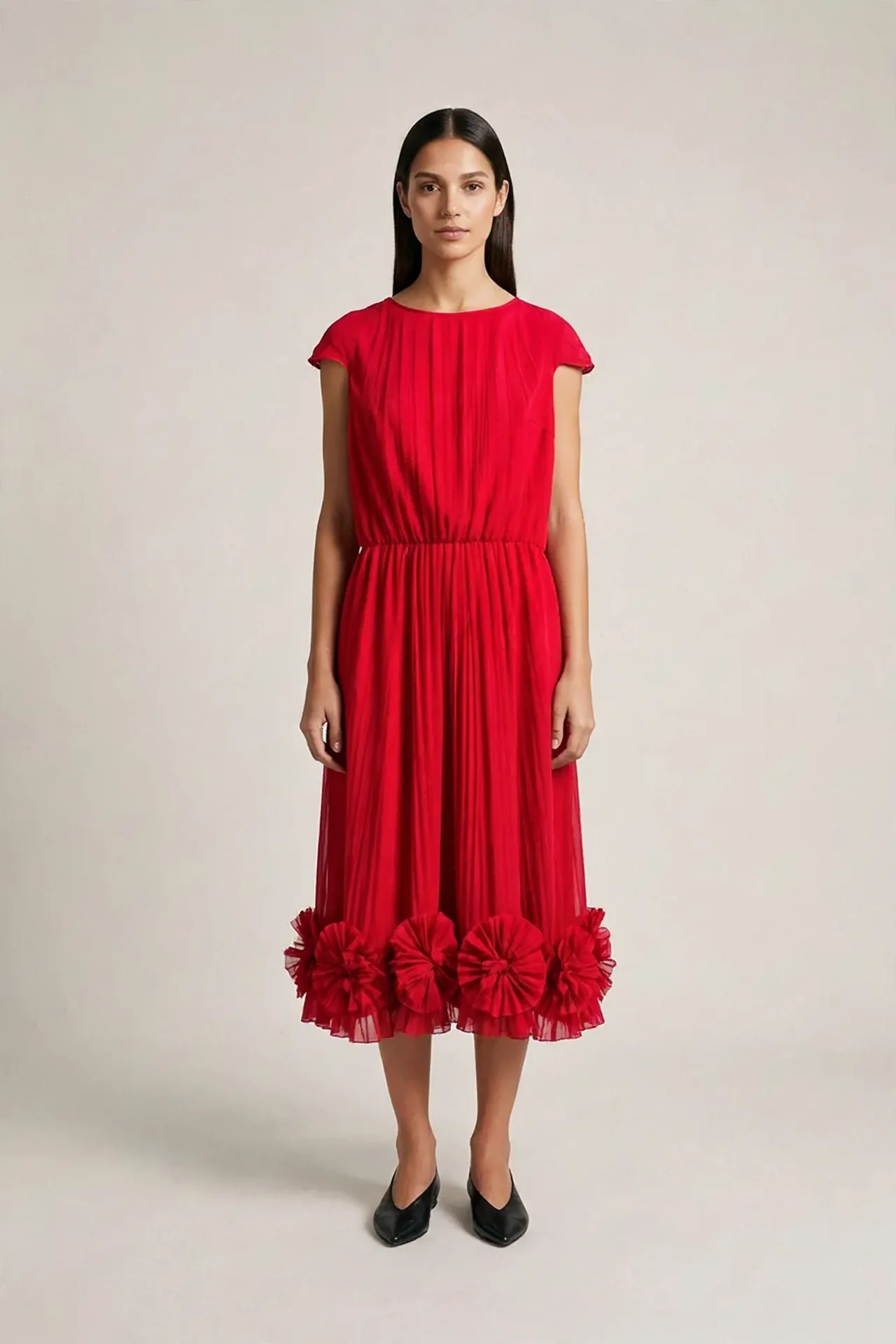
Start from an image you have permission to use and have already inspected. Look for clear body proportions, visible shoes, a complete garment and space for the requested action. A tight crop can make a full-body walk harder to direct.
Keep both the selected image and the real garment evidence. If the source is AI-generated, mark it that way. An available back photo cannot certify front details that appeared in a generated source.
Write a motion card
A Motion Card records the purpose, source, subject action, camera, framing, light, duration, output needs and the details that should remain stable. Start with one restrained action.
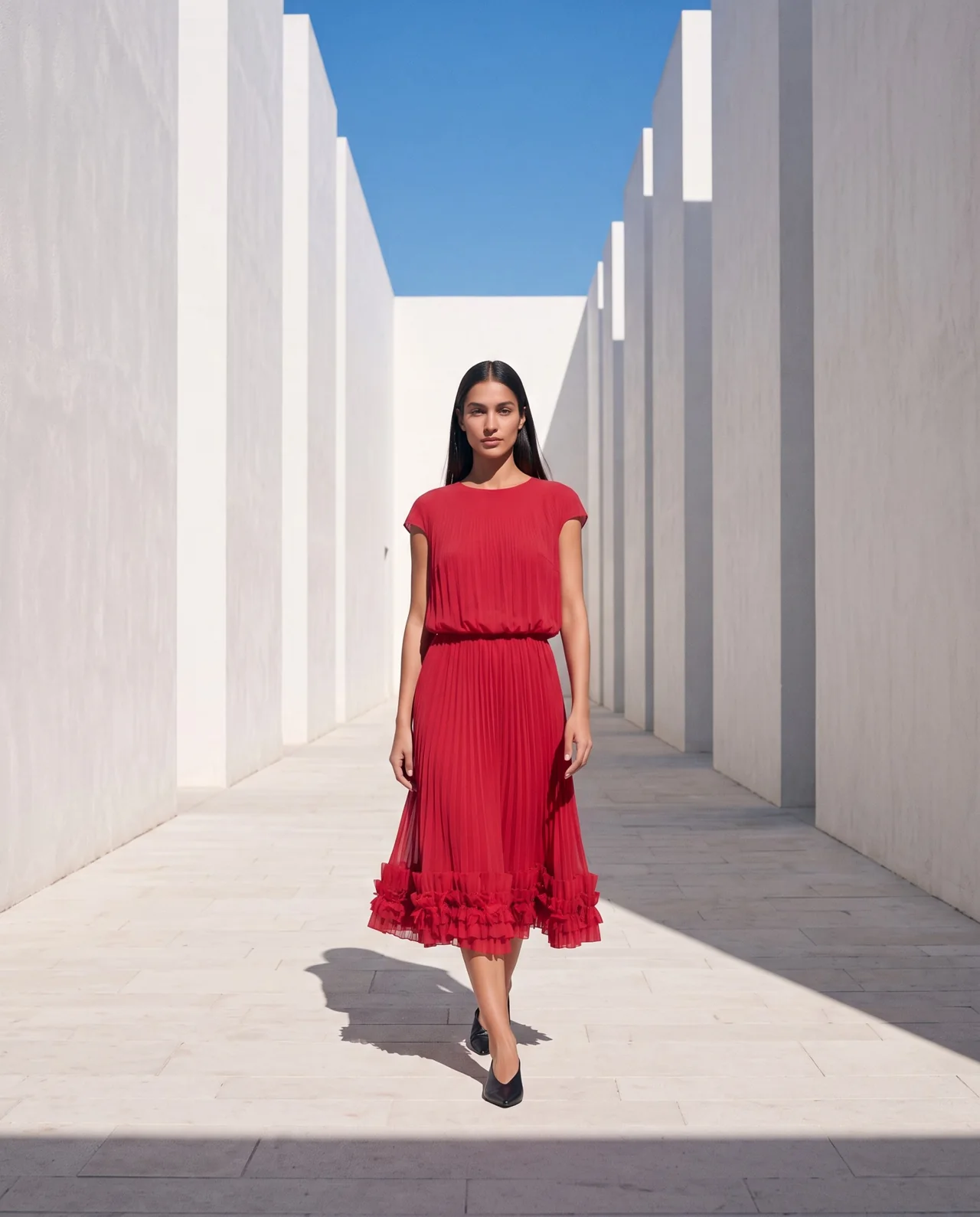
The teaching pilot requested an eight-second walk in a long white passage. The model needed room to move, a fixed camera and stable light. A shorter, simpler action can still fail, so treat the first output as a test.
- Source: the selected frame and its review status.
- Action: one walk, turn, pause or expression change.
- Camera: fixed or one clearly described movement.
- Preserve: identity, garment, scene and lighting.
- Budget: maximum spend and one initial attempt.
Choose the model for this brief
Our October 2026 pilot compared Gen-4.5, Veo 3.1, Kling O3 Pro and H3 Max across a limited set of fashion examples. We chose H3 Max through fal as the working route for this project. This is a project decision from a small pilot, not a universal ranking.
Check the current endpoint, supported duration, input requirements and price before approving a run. The H3 Max provider documentation describes its image-to-video input. Save the actual settings you use.
Help me plan one fashion image-to-video test from this selected source. Write a Motion Card with one restrained action, camera behavior, framing, stable lighting and details to preserve. List the source limitations. Check the current model settings and estimated cost. Set a maximum budget of [amount] and wait for my approval before submitting.
Generate once and keep the request record
Submit one approved attempt. Follow the existing request ID until it completes, then save the original file with its prompt and settings. A delayed response is a reason to check status before creating another paid job.
Measure the delivered file dimensions and duration. Record estimated cost separately from verified billing. The output file tells you what was delivered; its resolution does not establish garment fidelity.
Watch the whole clip and inspect changes
Play the result at normal speed, then slowly. Listen to its audio. Compare the face with the anchor and the clothing with real evidence. Inspect fabric, feet, camera, framing, background and light over time.
In our pilot, clearer lighting and foot instructions improved visible lighting in sampled frames, while foot adjustment still appeared. The attempts had different seeds and multiple prompt changes. They do not prove one wording change caused the improvement.
AI-generated motion practice example, silent. Review the full clip and compare with your references before deciding how to use a result.
Keep, correct or discard
Keep a clip or a continuous section when it suits the intended use after review. Correct when you can describe a specific issue and approve another attempt within the budget. Discard when the result is unsuitable or the evidence is insufficient.
Preserve originals, record limitations and export a reviewed version. If generated audio does not belong in the final piece, remove it and check the silent export. Add real brand text separately. A first motion exercise can be complete even when the useful result is a clear diagnosis.
Questions before you start
Which model does the course use?
The current teaching route uses H3 Max through fal, selected for this project after a limited pilot. Check the current model settings and price for your own run.
Can a still photo prove the video is accurate?
It supplies a reference. Each later frame can change, so review the full clip and compare the relevant details.
Do I need a complex edit?
The first exercise is one short clip and a review. Multi-scene editing, music and voice-over are beyond that first motion test.
Examples and sources
Adapted from the four Add Video to Your Campaign lessons, the October 2026 motion pilot and the selected campaign clip used in our published materials.
- See the Fashion AI Skool learning path
- fal: H3 Max image-to-video documentation
- Practice garment photographs: Marcelo Verfe on Pexels
Written by Fashion AI Skool using its course materials and practice records. Updated October 20, 2026. Generated examples demonstrate a process; they do not certify unseen product details.